

About Escape Road City 2
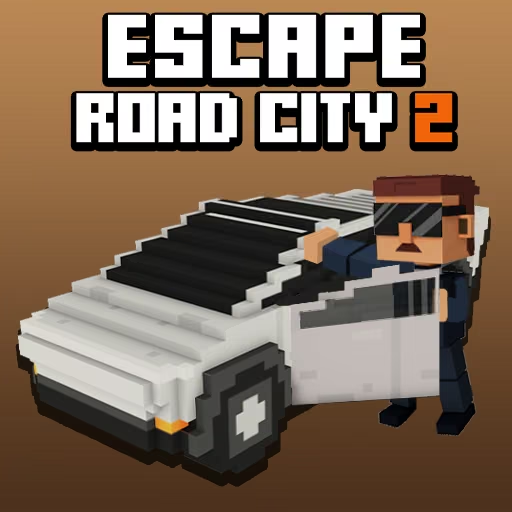
The car is blocked, police are closing, and Escape Road City 2 still leaves you a decision: stay behind the wheel or get out. You steer through a city pursuit, but the chase can continue on foot after you exit a vehicle. Finding another ride turns a narrow escape into a fresh driving opportunity, while water adds another route that must be judged carefully.
The central challenge is deciding when your current plan has stopped working. Staying inside a trapped car wastes the freedom to switch; jumping out without somewhere to go can leave you exposed. Cash and power-ups provide reasons to explore, yet every detour needs an exit. Survival depends on connecting these small decisions while police pressure grows.
Each run is an opportunity to practice a different part of the escape. A new player can concentrate on steering through traffic and keeping open space ahead. Once those movements feel familiar, the next challenge is recognizing a blocked route early enough to leave the car, reach another vehicle, or use the water without losing sight of the way back.
There is no fixed finish line to drive toward: the goal is to keep the pursuit going for as long as possible. The city gives you more than one way to continue, but each choice has a trade-off. A road may provide speed, a foot escape may lead around a blockage, and a water crossing can offer a different path when the streets are crowded.
How to Play Escape Road City 2
Use WASD or the arrow keys to move, avoid capture, and press Space when you need to change vehicles. Collect useful items without letting the pursuit surround you.
- Start driving and identify a stretch of road with room to turn.
- Steer around traffic and buildings while gathering accessible cash or power-ups.
- If the car becomes a liability, press Space to leave and move toward another vehicle.
- Continue escaping by road or water, returning to safety before you become trapped.
At the start, use the room in front of your car to learn how it turns. Instead of reacting only to the nearest police vehicle, look beyond it for traffic, buildings, and a possible exit. A gap is more useful when you can see where it leads: a clear first turn followed by a blocked street can leave you with fewer options than a wider route.
When a pursuit closes in, decide whether the car can still move toward an opening. If it can, steering through that space may be quicker than leaving it. If the car is surrounded or stuck, identify somewhere your character can run before pressing Space. A nearby vehicle gives you a potential next step, but reaching it safely matters more than simply getting out.
Cash and power-ups can help over the course of play, but avoid treating every pickup as an instruction to turn. Compare the item with the route around it: can you collect it and still leave the area? Money contributes to unlocking vehicles, while a power-up can offer an advantage during a run. Neither is worth driving into an obvious trap to collect.
Controls & Timing
Vehicle handover
When the road closes around your car, look for a replacement before pressing Space. Moving toward a chosen vehicle gives the on-foot section a purpose instead of turning it into a scramble.
Water crossings
If water offers a route around pursuers, check the far bank first. Swimming can extend an escape, but remaining submerged too long ends the opportunity.
Power-up moment
When you have an available power-up, use F at a moment when its effect can change your route. Keep watching the road while the effect is active; it does not remove the next obstacle.
Parachute escape
The game also offers a parachute when you are launched into the air. Treat the landing as part of the escape: look for a place where you can move onward rather than assuming that leaving the ground has ended the chase.
Controls
| Input | Action | When to use |
|---|---|---|
| WASD / arrow keys | Move and steer | Driving or moving outside a car |
| Space | Enter or exit a vehicle | Changing your means of escape |
| F | Use an available power-up | Responding to pursuit pressure |
Use the movement keys to guide either the vehicle or the character after leaving it. Space changes your situation; it does not clear a path by itself. Before using it, look for an accessible direction and a vehicle you can approach. If an available power-up can be activated, F gives you a separate action to use when it fits the situation.
High Score Tips
- Treat the next car as a destination. An exit beside a usable ride is a different decision from an exit into an empty street, so scan for both before committing.
- Keep a land route in view near water. A crossing is useful only if it leads somewhere; a blind swim can exchange a police problem for a survival problem.
- Collect cash on a route you already want. Adding a small bend is manageable, but doubling back through approaching police often costs more space than the pickup is worth.
- After changing vehicles, make the first turn simple. A clear straight section gives you time to read the new position before attempting another tight escape.
- Read an intersection before entering it. If one turn is crowded, preserve enough space to take another instead of waiting until the car is surrounded on every side.
- Avoid making several sharp decisions at once. After an escape on foot or a water crossing, first find a direction you can follow; then look for a vehicle or pickup along that route.
- Learn from the point where a run ended. If a detour for cash led into traffic, try leaving that pickup next time. If you exited too late, practice identifying a replacement while the car can still move.
- Use a power-up to support an existing escape plan. An effect can create an opportunity, but you still need to choose a direction and avoid the obstacles ahead.
Key Features
- On-foot escapes: Leaving a car opens another phase of the same pursuit.
- Vehicle switching: Another ride can keep a threatened run moving.
- Water routes: Swimming adds a choice beyond the street network.
- Collectible assistance: Cash and power-ups reward attention to the surroundings.
Frequently Asked Questions
Can I leave my car?
Yes. Press Space to leave a vehicle or enter another one. Look for your next destination before getting out, because leaving a blocked car only helps if you can move away from the danger.
Does entering water end the run immediately?
Water is not an automatic instant loss in this version: the character can swim. You still need a way back to land, and spending too long submerged can end the escape.
How do I use power-ups?
Press F when a power-up is available. Choose the moment around the effect you have and the route ahead; pressing the key without an available item does not create one.
What should I prioritize during a chase?
Preserve an escape route first, then collect what you can reach along it. A car, a pickup, or a water crossing becomes useful when it helps you continue moving away from police.
What is the goal of Escape Road City 2?
Stay ahead of the police and keep the run going for as long as you can. You can drive, leave your vehicle, switch to another ride, and use other routes when the road is no longer the best option.
What is the money collected during a run for?
Money helps you unlock more vehicles. Collect it when it lies on a manageable route, but keep enough room to avoid traffic and continue the chase.
What can I do if my car is surrounded?
First check whether a gap is still open for the car. If driving out is no longer practical, use Space to leave and move toward a reachable escape route or another vehicle. Getting out gives you a choice, not immunity from the pursuit.
Can I use a parachute?
Yes. The game includes a parachute for airborne escapes. Watch where you may land and plan how to keep moving once you are back on the ground.