About Car Chase Simulator
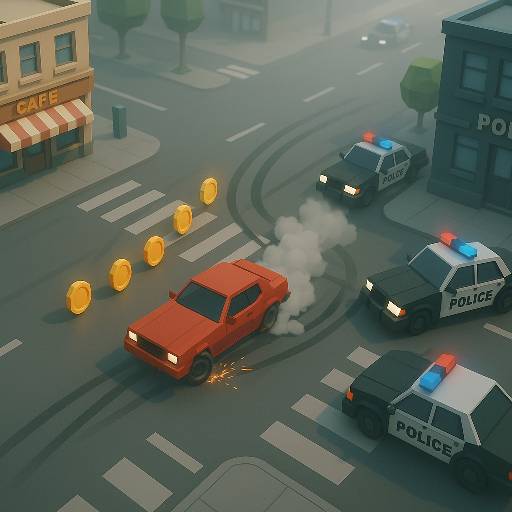
In Car Chase Simulator, plan where to go when a power-up opens the road, rather than waiting for the effect to choose a route for you. Drifter: Car Chase Simulator, a city getaway built around traffic, police, and sudden changes in control of the road. The source embed is Mr. Drifter: Car Chase Simulator. You steer through a tilted overhead view, dodging obstructions while collecting effects that can interrupt the pursuit. Slow-Mo, Freeze, and EMP assistance give different kinds of breathing room.
The important part is what you do with that opening. A disrupted pursuer does not remove a building from the route, and a slower moment does not choose the next street for you. Treat each helpful effect as time or space to reposition. Vehicle unlocks add choices between runs, while the ongoing chase keeps the immediate task focused on finding a continuation through the city.
How to Play Car Chase Simulator
Use WASD or the arrow keys to move through the city, avoid police and traffic, and collect power-ups that help you escape developing roadblocks.
- Begin the chase and locate a street with a visible continuation.
- Steer around traffic and obstacles rather than aiming only away from the nearest police car.
- Collect a reachable power-up and use the resulting opening to change position.
- Continue the escape and work toward additional getaway vehicles through the progression system.
Controls & Timing
Slow-Mo window
When a slowing effect creates more reaction time, inspect the next exit and commit to a line. The benefit is a clearer driving decision, not a reason to remain inside a blocked intersection.
Freeze opening
When a freezing effect interrupts nearby threats, move away from their occupied space. Establish a new route before their presence becomes a problem again.
EMP escape
When an EMP disrupts pursuing vehicles, steer toward road that stays open beyond the immediate group. Fixed scenery still matters even when the police pressure briefly falls.
Controls
| Input | Action | When to use |
|---|---|---|
| WASD / arrow keys | Move and steer | Navigating city streets |
| Drive through a power-up | Collect assistance | Taking a reachable effect during pursuit |
| Directional steering during an effect | Reposition the car | Using the temporary opening |
High Score Tips
- Decide the next street before reaching a crowded junction. Power-ups can help with the police, but choosing an exit early reduces the number of decisions you must make under pressure.
- Use an effect to leave the problem area. Circling beside interrupted pursuers spends the opening without improving your position for the next stage of the chase.
- Look beyond destructible clutter. Breaking through one obstacle is only useful when the space behind it gives the vehicle somewhere to go.
- Learn the visual result of each effect separately. Recognizing whether the situation is slower or the pursuers are disrupted helps you choose an appropriate escape without assuming permanent protection.
Key Features
- Mr. Drifter version: The source embed identifies the specific game behind this listing.
- Disruptive power-ups: Slow-Mo, Freeze, and EMP change the immediate pursuit.
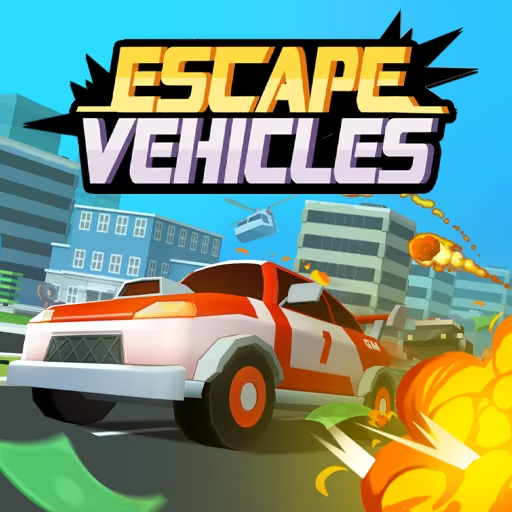
- Low-poly city: A tilted overhead view exposes streets and approaching traffic.
- Unlockable getaway cars: Progression adds more vehicle choices.
Frequently Asked Questions
Is Car Chase Simulator the same as Mr. Drifter?
The embedded game linked by this source identifies itself as Mr. Drifter: Car Chase Simulator. This guide describes that version, including its city pursuit and power-ups, rather than combining features from every similarly named driving game.
What do the main power-ups do?
Slow-Mo slows the action, Freeze interrupts threats, and an EMP disrupts pursuing vehicles. Use the opening to choose a clearer route, because the effect does not remove every obstacle from the city.
Does a power-up make reckless driving safe?
No such guarantee is assumed. Even when police are disrupted, buildings and traffic still shape the route. Use the assistance to reposition rather than treating it as permission to collide with everything ahead.
What should I do if an intersection fills up?
Look for a continuing street before entering the tightest part of the group. If a collected effect gives you an opening, use it to leave the intersection instead of circling around the same obstacle.