



About Breakout Racing
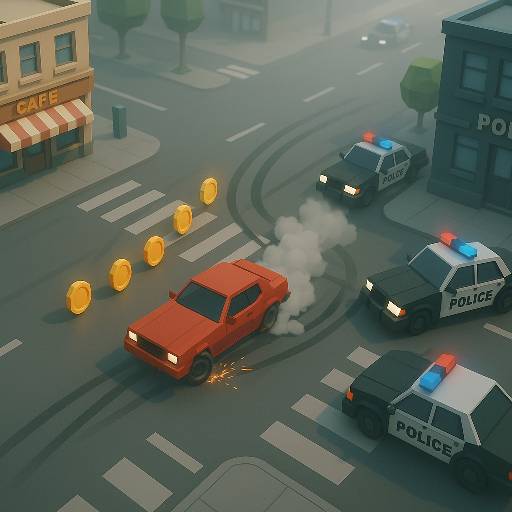
Keep the panda getaway on the road, preserve its remaining resources, and use each direction change to make the next section manageable. The car keeps moving while clicks change its direction, so the challenge lies in reading when a correction is needed. Traffic, police, and roadside obstacles make every late input more difficult to recover from.
The chase also asks you to watch what keeps the car running. Useful pickups can restore or support a run, while collisions can consume the resources that remain. This makes a seemingly exciting impact a decision with a cost. A good attempt is a sequence of small adjustments that preserves a path through the traffic, gathers helpful items, and avoids spending the whole run bouncing from one emergency to the next.
How to Play Breakout Racing
Left-click to change direction as the car moves, keep away from the roadside, and collect useful pickups while escaping police.
- Start the getaway and watch the direction in which the car is traveling.
- Click before that line carries you into an obstacle or off the usable road.
- Guide the car toward reachable pickups while keeping traffic and police in view.
- Continue balancing steering and remaining resources, then use earned rewards for available vehicle options.
Controls & Timing
Click timing
When the car begins approaching the roadside, click while there is still room to redirect it. Waiting for contact makes the next movement a recovery rather than a controlled turn.
Collision cost
When a traffic gap looks too narrow, choose another line before making contact. Impacts can consume resources, so a collision is not automatically a beneficial shortcut.
Helpful pickups
When a useful item appears, compare its approach with the line you are already driving. A pickup that supports the run is most valuable when collecting it does not immediately cause another impact.
Controls
| Input | Action | When to use |
|---|---|---|
| Left mouse click | Change direction | Redirecting the moving car |
| Timed repeated clicks | Make successive direction changes | Following openings through traffic |
| Steer into a pickup | Collect the item | Taking a reachable reward or support item |
High Score Tips
- Build a steering rhythm from the road rather than clicking continuously. Each input should answer a visible change in space; unnecessary corrections make the next position harder to anticipate.
- Leave a margin beside the curb. The car keeps moving during your decision, so a gap that seems sufficient now may disappear before the next click takes effect.
- Use resource pickups as part of a route. Chasing one through dense traffic can cost the condition it was supposed to restore.
- Recover toward the middle of usable space after contact. Immediately chasing a reward at the edge can turn one impact into a chain of collisions.
Key Features
- Click-directed driving: Direction changes depend on mouse timing.
- Panda getaway: A distinctive character frames the police pursuit.
- Resource pressure: Collisions and helpful pickups affect the ongoing attempt.
- Vehicle progression: Earned rewards provide additional vehicle options.
Frequently Asked Questions
How do I steer in Breakout Racing?
Left-click to change the car's direction as it moves. Watch its current line and act before it reaches an obstacle, rather than waiting for a collision to tell you a correction was needed.
Why should I avoid repeated collisions?
Impacts can consume resources needed to continue the run. Even if one contact changes your direction, relying on a chain of collisions makes it harder to preserve both the car and a usable route.
Should I chase every support pickup?
Take a pickup when the approach is manageable and the item can help. A route through several obstacles may cost more than the pickup restores, so inspect the space beyond it too.
What should I practice first?
Learn how one click changes the car's line in a relatively open section. Once that response feels predictable, work on placing the next correction earlier when traffic or the roadside reduces your available space.