
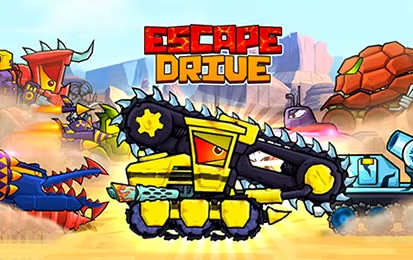

About Escape Drive
The front wheels leave a hill, the car starts rotating, and another threat is approaching from behind. Escape Drive builds its chase around moments like this. Your vehicle moves forward through side-scrolling stages, while you adjust its attitude and choose when to add speed. Getting away involves surviving the shape of the road as well as the enemies sharing it.
The car's weapons and garage upgrades give the journey a combat element, with tougher encounters interrupting the regular terrain challenges. However, a stronger vehicle still needs a controlled landing. Hills and ramps make balance a repeated concern: the direction the car faces in the air can matter as much as the distance it covers. Progress comes from bringing those two demands together, then improving the vehicle when a particular obstacle keeps ending the escape.
How to Play Escape Drive
Let the car advance, use A and D to balance it over uneven ground, and use J for a speed burst when the next section gives you room to recover.
- Begin a stage and watch how the car responds as it crosses the first hill.
- Use short backward or forward tilts to bring the wheels toward the approaching surface.
- Add speed on a section whose takeoff and landing you can judge, while watching approaching threats.
- After an attempt, use available garage improvements to prepare for the terrain and enemies ahead.
Controls & Timing
Before touchdown
As the landing surface comes into view, compare its slope with the underside of your car. Make the correction before contact; a late input may arrive after the vehicle has already struck nose-first.
A boost over a crest
When J adds speed near a hill, expect the next landing to arrive differently. Try the same section without boosting first so you have a useful point of comparison.
A difficult encounter
If enemies repeatedly stop an otherwise controlled run, inspect the available armor or weapon improvements. If crashes are the problem, work on balance before expecting equipment to fix the approach.
Controls
| Input | Action | When to use |
|---|---|---|
| A | Tilt backward | Correcting the car's attitude |
| D | Tilt forward | Preparing for a slope or landing |
| J | Speed boost | Accelerating through a judged section |
High Score Tips
- Read the road surface rather than the horizon. A car that looks level against the screen may still be badly angled for a steep landing, so aim the wheels toward the actual slope.
- Avoid alternating tilt directions merely because the car is airborne. Give each correction a purpose, then watch its effect; repeated reversals make your next adjustment harder to judge.
- Separate speed experiments from landing practice. Once you can cross a ramp reliably, test a boost there and compare where the wheels touch down instead of changing everything at once.
- Spend with a specific failure in mind. Surviving enemy contact, overcoming opposition, and controlling a jump are different problems; identify yours before selecting an improvement.
Key Features
- Side-scrolling pursuit: The escape follows a visible terrain profile rather than a city street grid.
- Airborne balance: Forward and backward tilts influence how the car meets the road.
- Vehicle combat: Armed opponents and tougher encounters add pressure between terrain sections.
- Garage progression: Available improvements support the car's speed, protection, and weapons.
Frequently Asked Questions
Do I have to hold an accelerator to keep moving?
The car advances through the stage automatically. Your immediate job is to balance it with A and D and decide when the J speed boost is useful for the section ahead.
Why do I crash after clearing a jump?
Clearing the gap does not guarantee a clean landing. Check the angle of the slope and prepare the wheels to meet it, rather than waiting until the front or rear hits the ground.
Should I use the speed boost whenever I can?
Use it when you understand what follows. Extra speed can change a jump's flight and landing position, so a familiar straight or ramp is a better test than an unseen drop.
Which upgrade should I choose first?
Start with the reason your recent attempts ended. Protection or weapons can address enemy pressure, while a terrain problem may need better balance; buying an improvement does not replace learning the landing.